General Information
The General Information section contains the foundational identity of your establishment.
These settings define how your venue appears internally and externally (QR menu, online ordering, receipts, etc.).
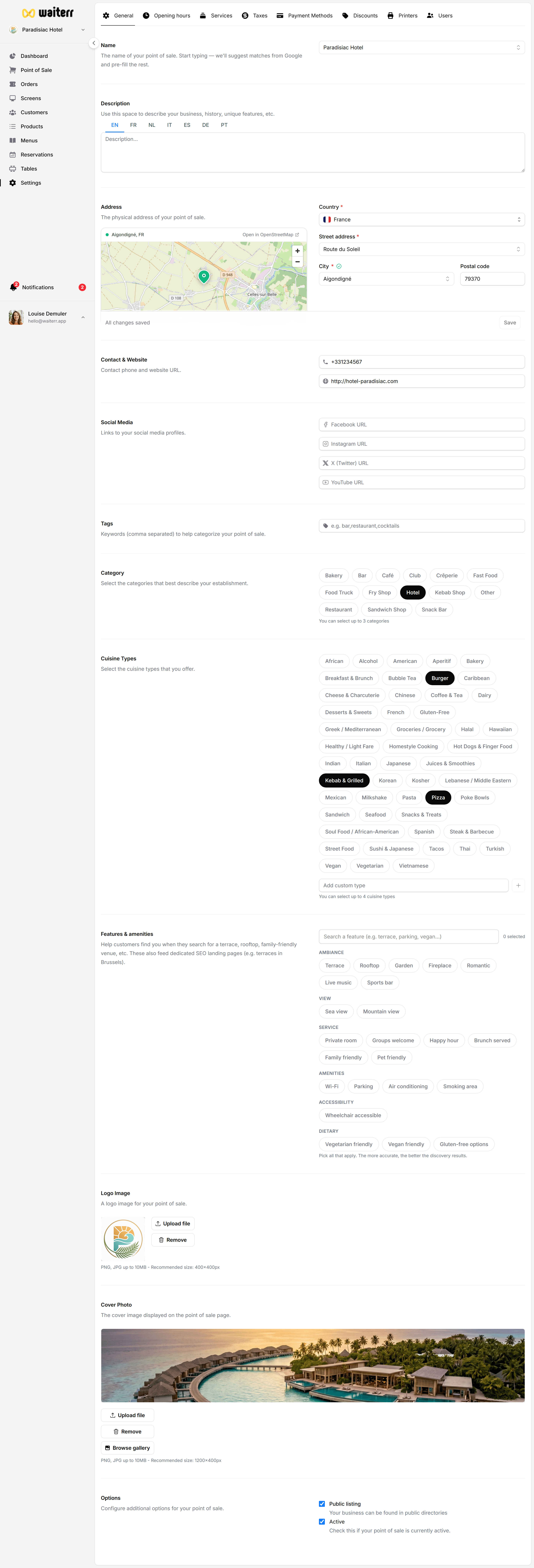
What you can configure here
- Establishment name
- Description (multilingual)
- Address (country, city, postal code, street)
- Contact details (phone, email)
- Website URL
- Categories & cuisine types
- Logo & cover image
- Operating options (takeaway, delivery…)
Establishment Name
The official name displayed:
- In the dashboard
- In online ordering
- On receipts
- In QR code pages
Keep it short and recognizable.
Description (Multilingual)
You can write a description for your establishment in multiple languages (EN, FR, NL, DE, IT).
This appears:
- In the online ordering page
- In reservation pages
- In delivery listings
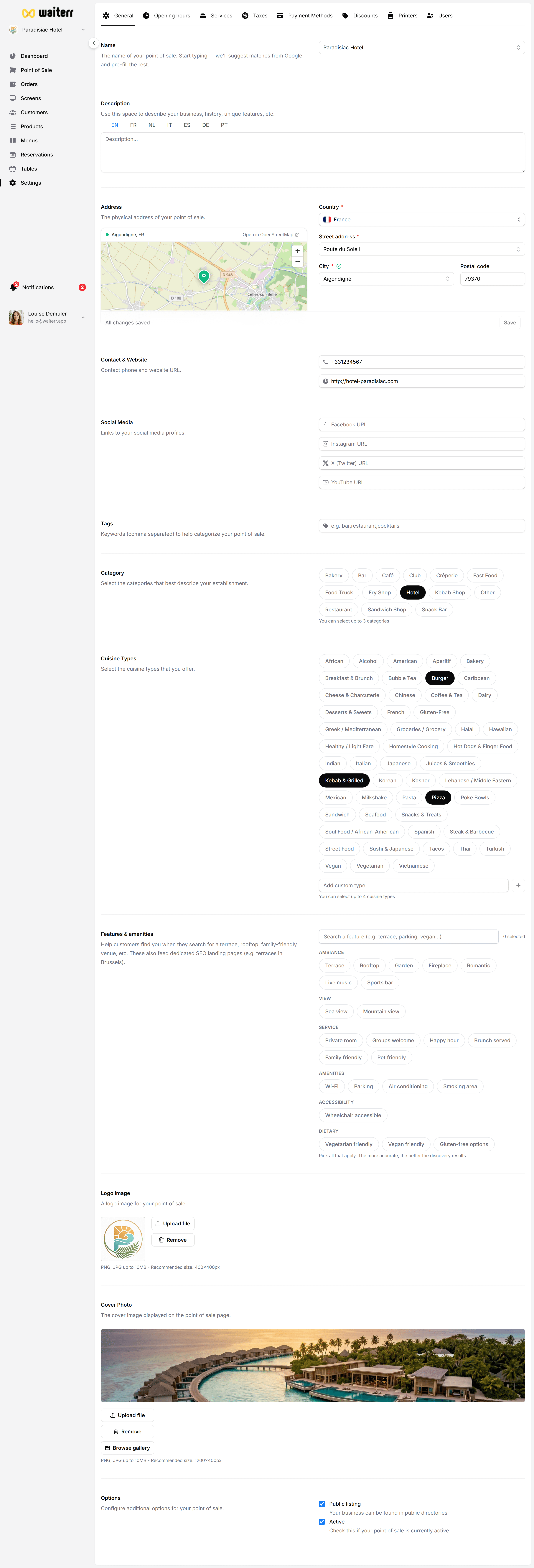
Address
Includes:
- Street
- Number
- City
- Postal code
- Country
This is used for:
- Delivery zone detection
- Maps and customer navigation
- Legal information on receipts
Contact Information
Fields include:
- Phone number
- Email (public-facing)
Website URL
If your establishment has a website, it will appear on:
- Customer-facing pages
- Contact information sections
Related Pages
Last updated on