Dine-In Service (Sur Place)
Dine-in allows customers to order inside your venue — either through the POS or via QR codes on tables.
Two Ways Dine-In Works
1. POS (Point of Sale)
Staff takes orders directly:
- At the bar
- At tables
- At the counter
- During events
Learn more →
POS Overview
2. QR Ordering at the Table
Customers scan a QR code placed on their table:
- They see your menu
- Place their order
- Pay (depending on payment settings)
Learn more →
QR Ordering
Configuration
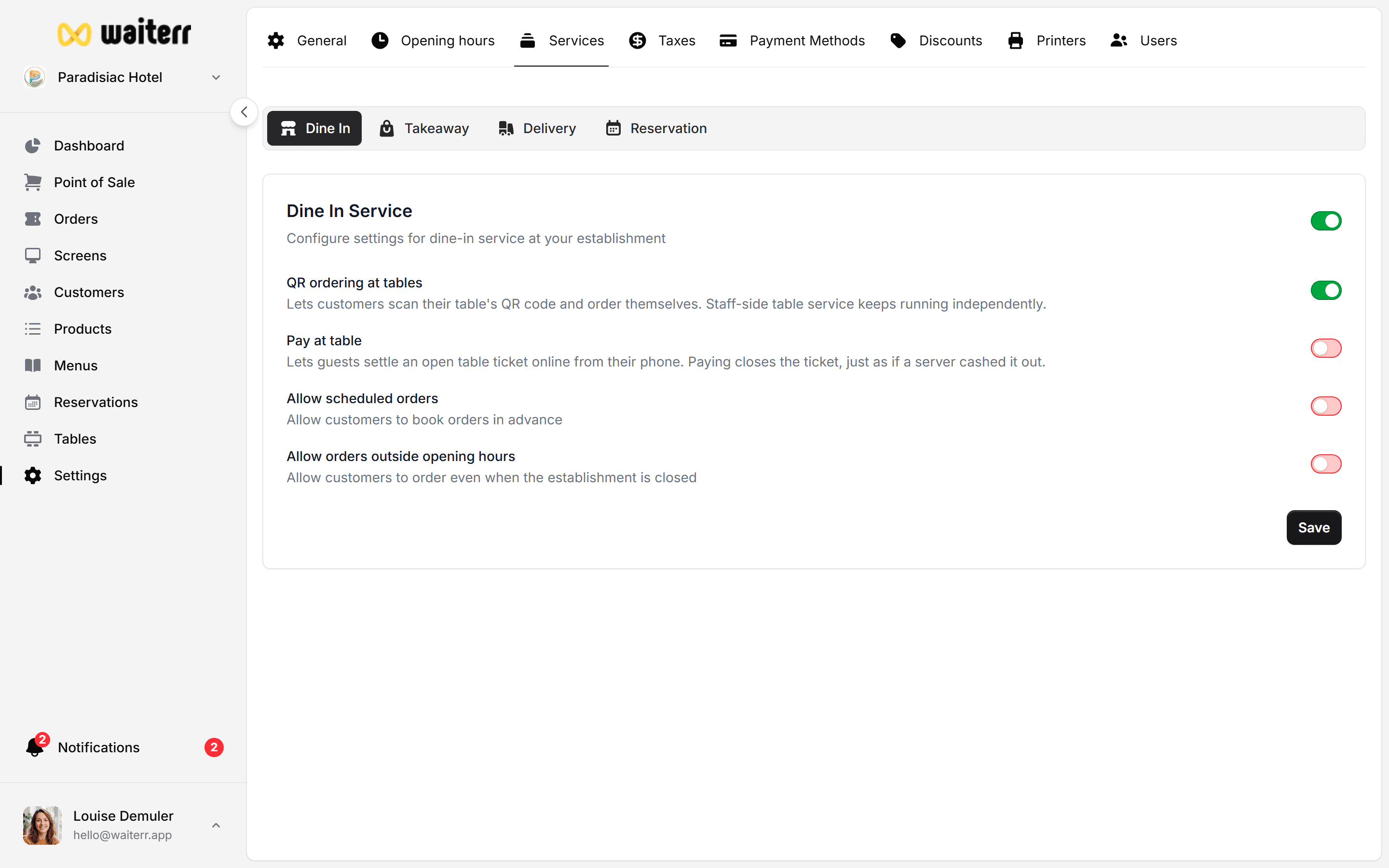
Dine-In can be enabled in:
- Dashboard (service toggle)
- Settings → Options → Dine-In
Options include:
- Accept or reject dine-in orders
- Allow scheduled orders (rare for dine-in)
- Allow orders outside opening hours
Use Cases
- Restaurants with table service
- Bars allowing QR ordering
- Fast-casual venues
- Food trucks with seating
Related Pages
Last updated on