Quick Add
Quick Add allows you to add products in seconds — perfect for large menus or bars.
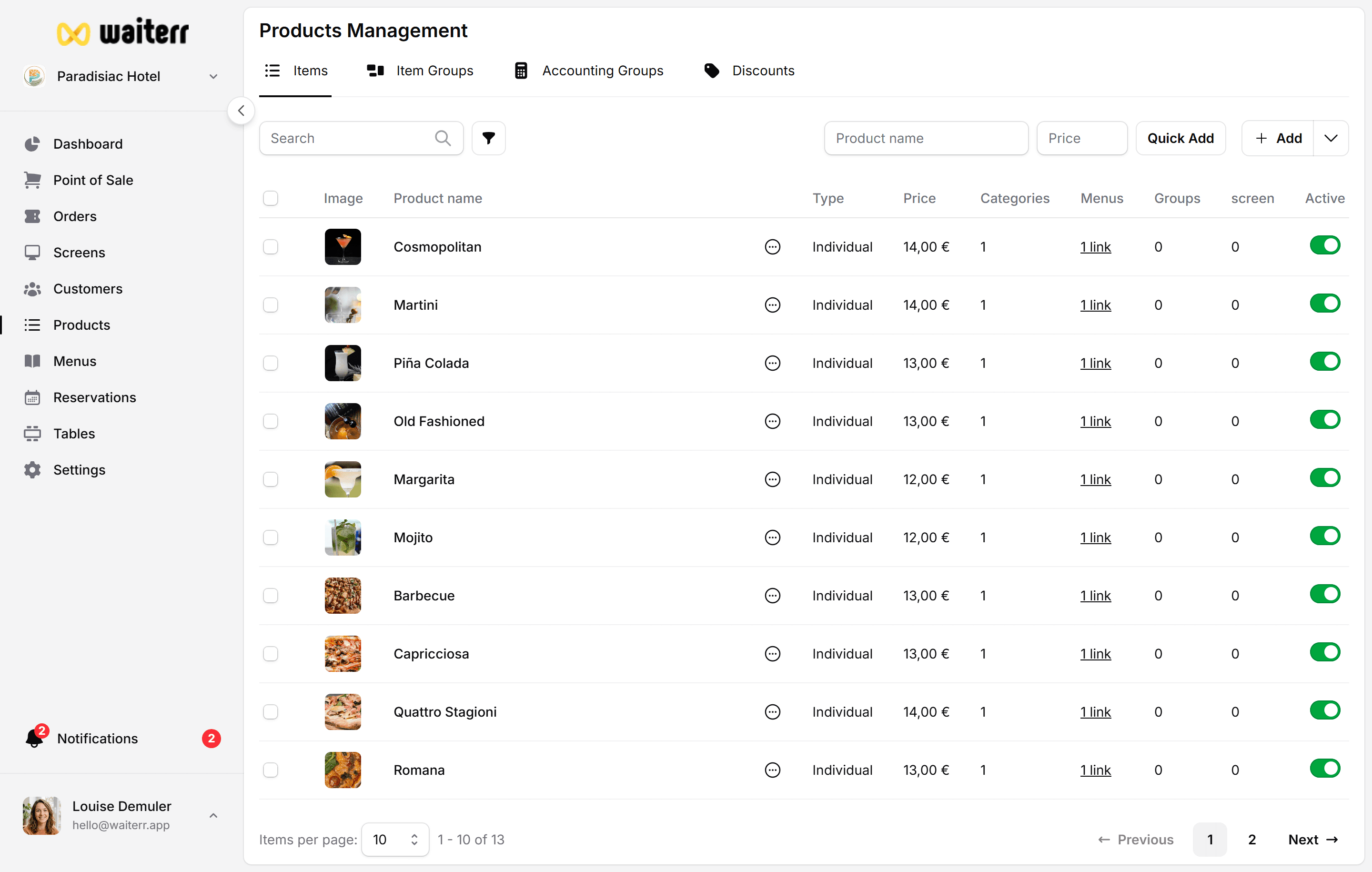
How Quick Add Works
Inside a category:
- Enter product name
- Enter price
- Press Enter
The product is instantly added.
When to Use Quick Add
- Bars (many simple drinks)
- Simple food items
- Initial setup of a large menu
- Temporary or event items
Limitations
Quick Add does NOT include:
- Options & groups
- Ingredients
- Allergens
- Tags
- KDS assignment
- Accounting group
You can edit the product later to add all details.
Related Pages
Last updated on