Taxes & VAT
Taxes define how prices are displayed and how VAT is applied to products and services.
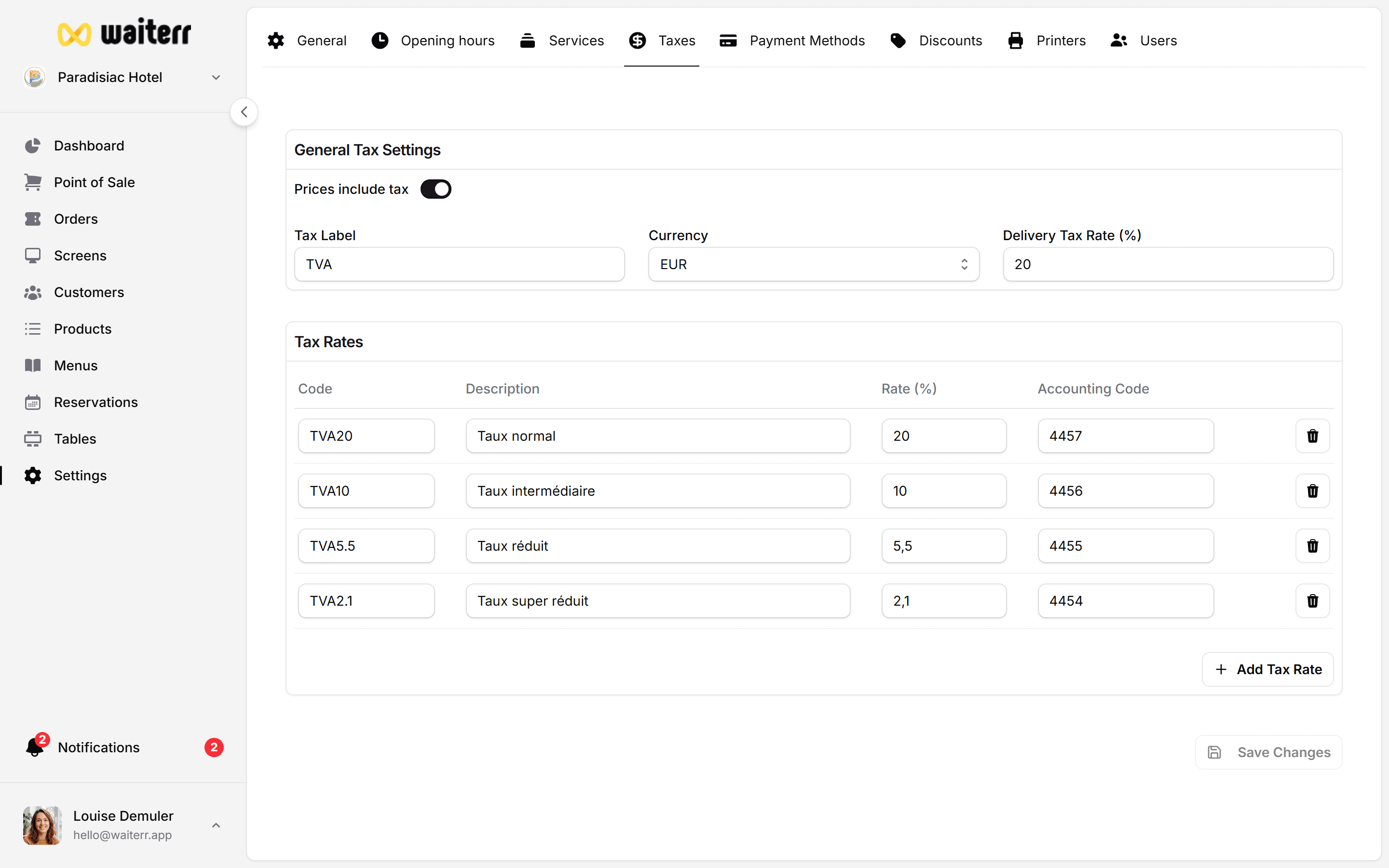
Tax Settings Overview
You can configure:
- Default tax label
- Currency
- Price display mode (tax included / excluded)
- Delivery tax rate
- Additional VAT rates for products
Price Display Mode
You can choose:
1. Tax Included (TTC)
Displayed price already includes taxes.
2. Tax Excluded (HT)
Taxes are added on checkout and receipts.
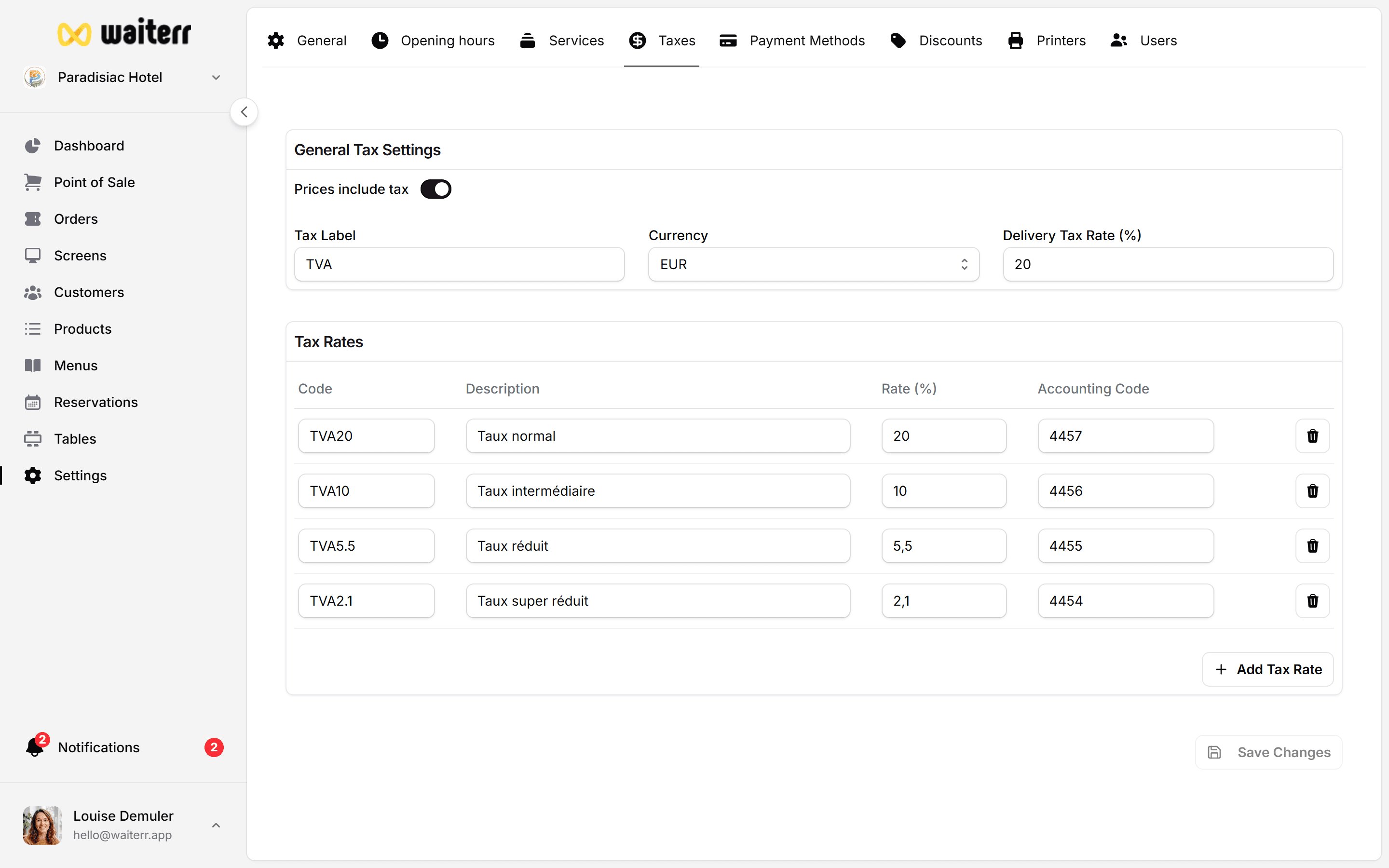
Tax Rates
You can define multiple tax rates:
- Standard food & beverages (ex: 21%)
- Alcohol (e.g. 21%)
- Reduced rates (e.g. 12%)
- Non-food items
Each rate can have:
- Label
- Percentage
- Optional accounting code
Default Taxes Per Product
Each product can be linked to an Accounting Group, which defines:
- Tax rate dine-in
- Tax rate takeaway
- Tax rate delivery
Learn more →
Product Accounting Groups
TVA Export (Accounting)
You can export a VAT summary from:
Orders → Export → VAT Summary
Includes:
- Total revenue
- Tax-exempt amounts
- Tax per rate
- Summary per product
Learn more →
Order Export
Related Pages
Last updated on