Product Manager Overview
The Product Manager is where all products of your establishment are created, organized and configured.
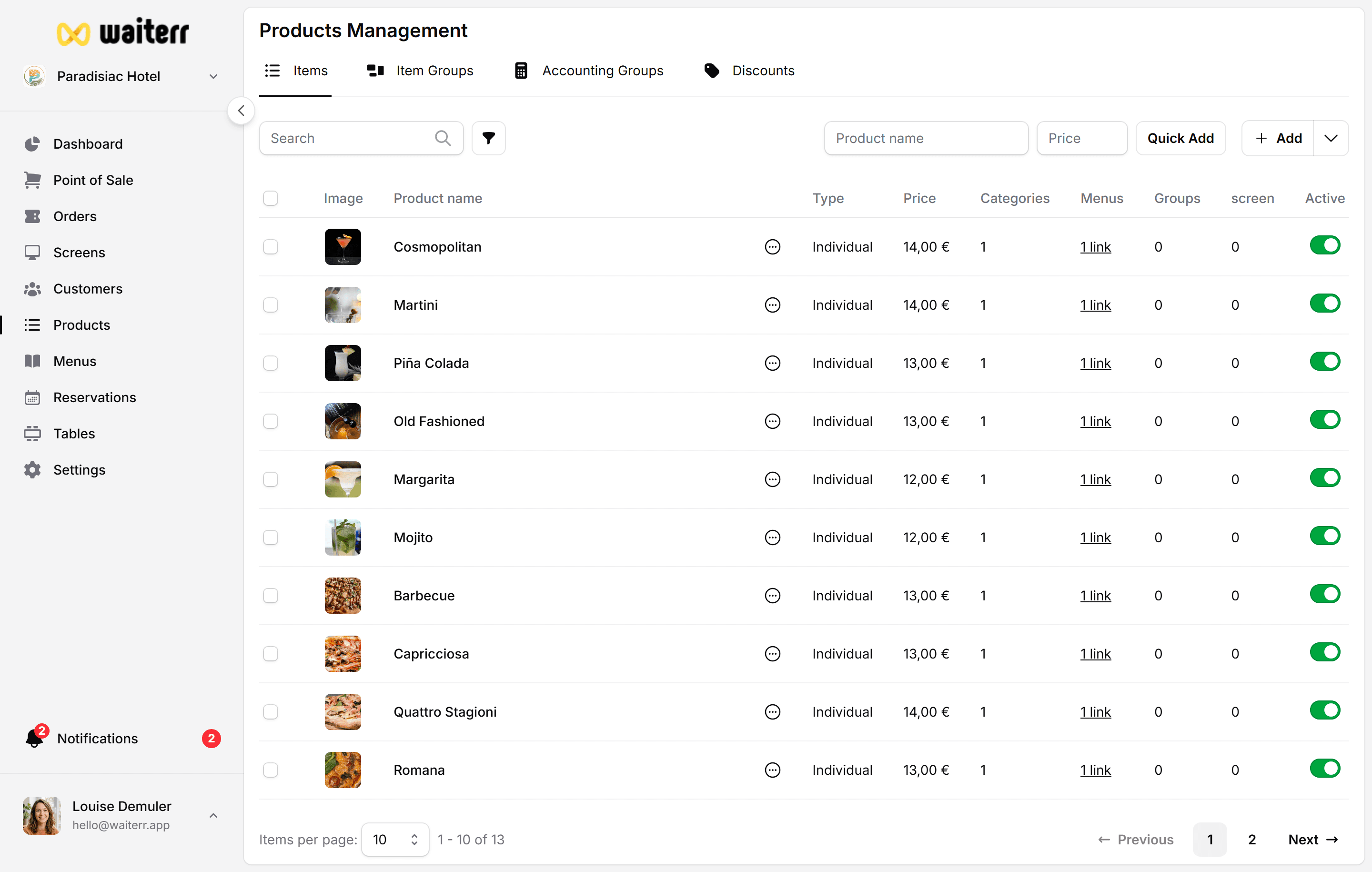
It provides a complete view of:
- All products (across all menus)
- Product types (individual items, groups, options)
- Accounting groups
- KDS assignments
- Availability and status (active/inactive)
- Links to menus and categories
Types of Products
What You Can Do Here
- Add new products
- Edit existing ones
- Add images
- Configure pricing
- Assign to KDS
- Add allergens & ingredients
- Manage tags
- Link accounting groups
- Activate or deactivate products
- Perform batch updates
- Duplicate products
- Remove products from categories or menus
Learn More
Last updated on