Onboarding Flow
When you log in for the first time, Waiterr Manager guides you through a simple and intuitive 4-step onboarding wizard.
This ensures your first establishment is correctly configured from the start.
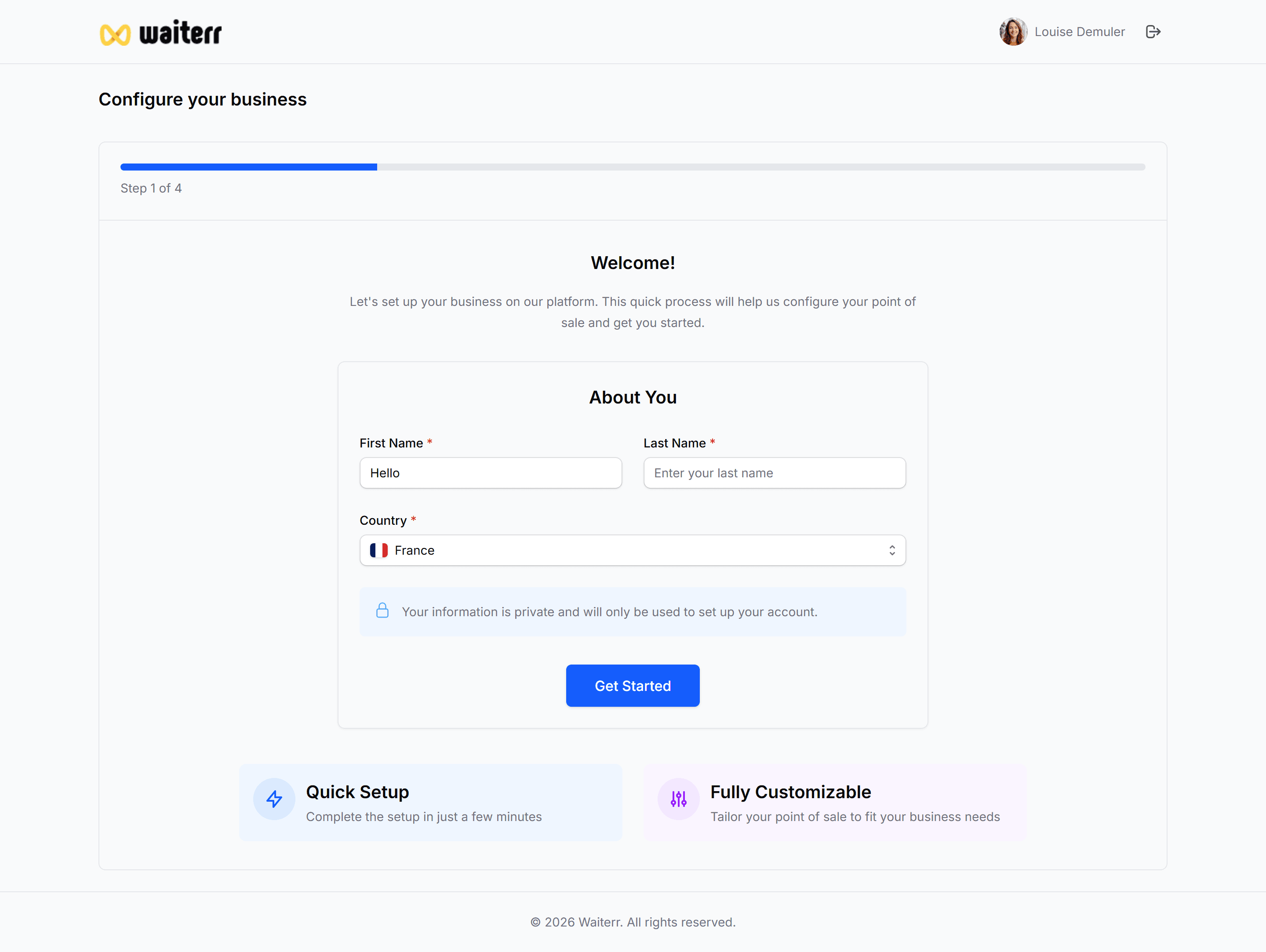
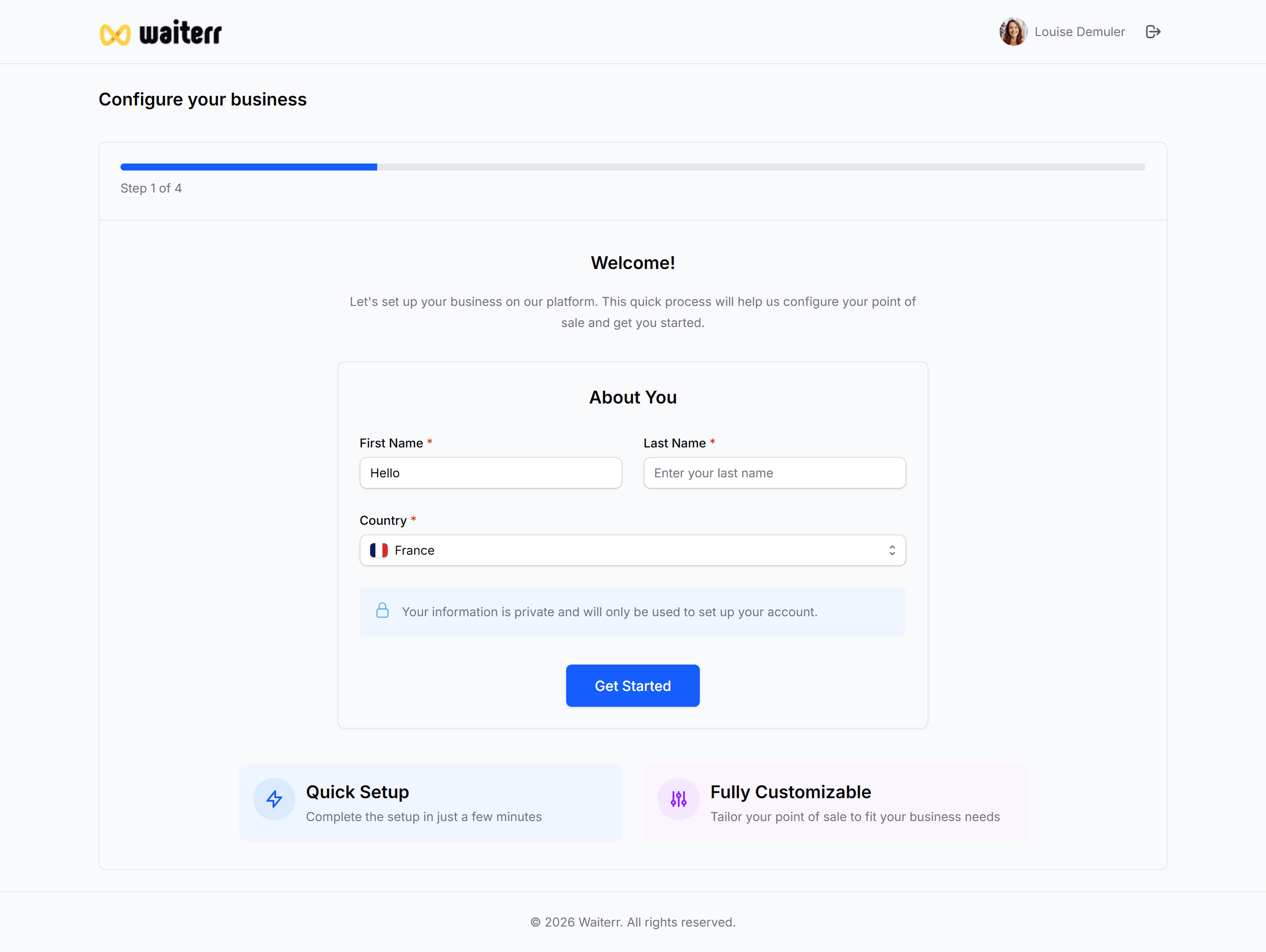
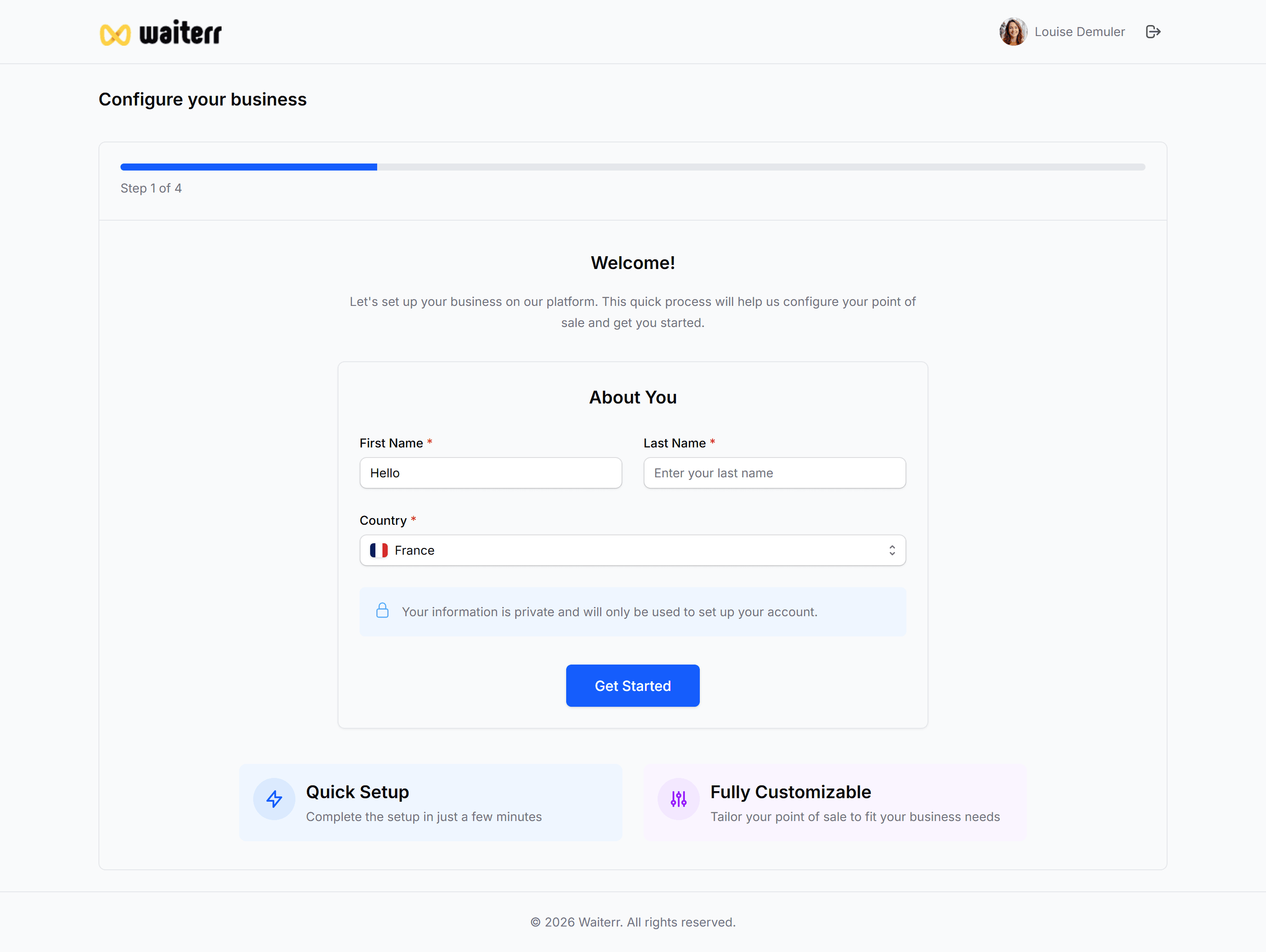
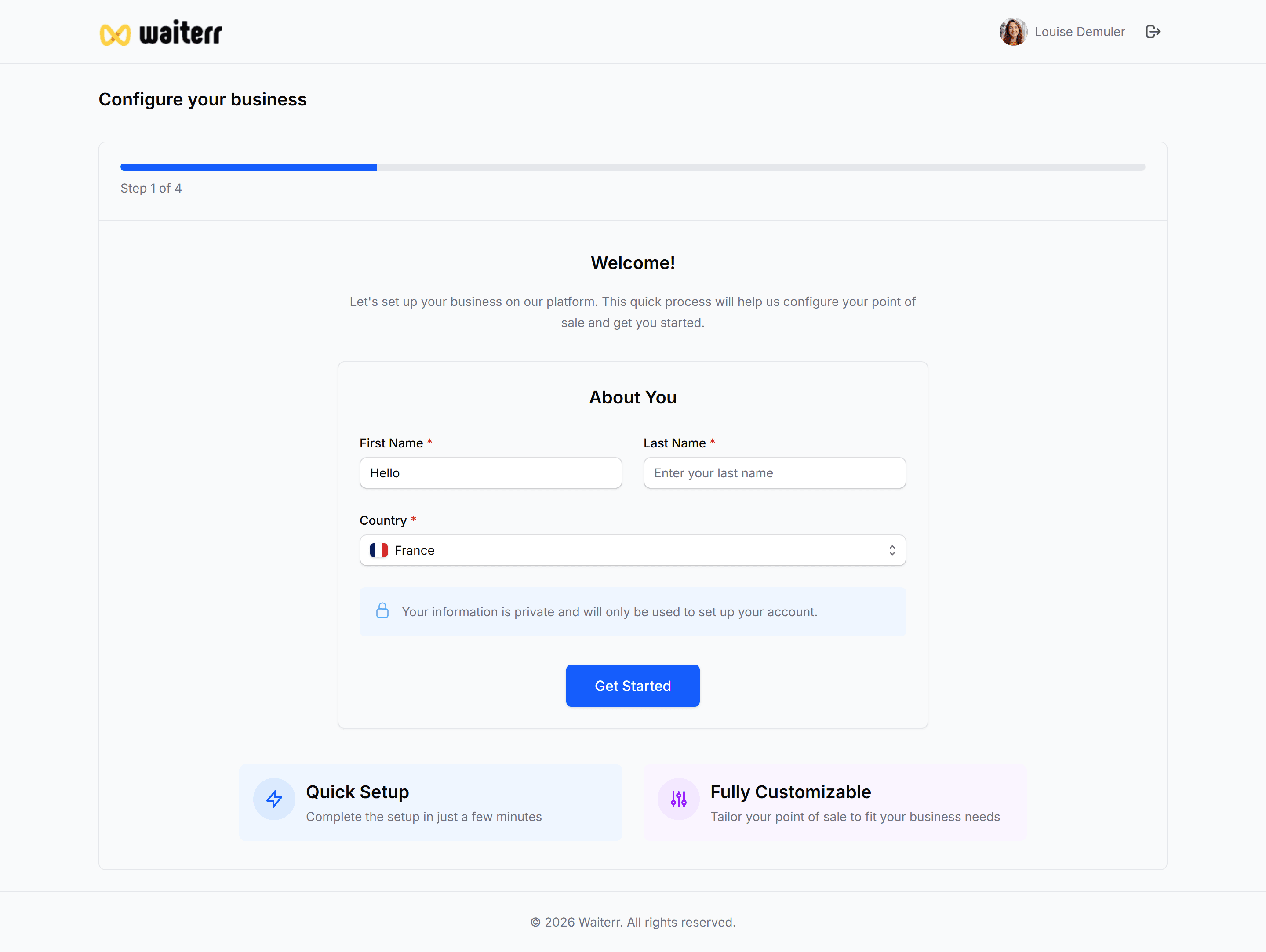
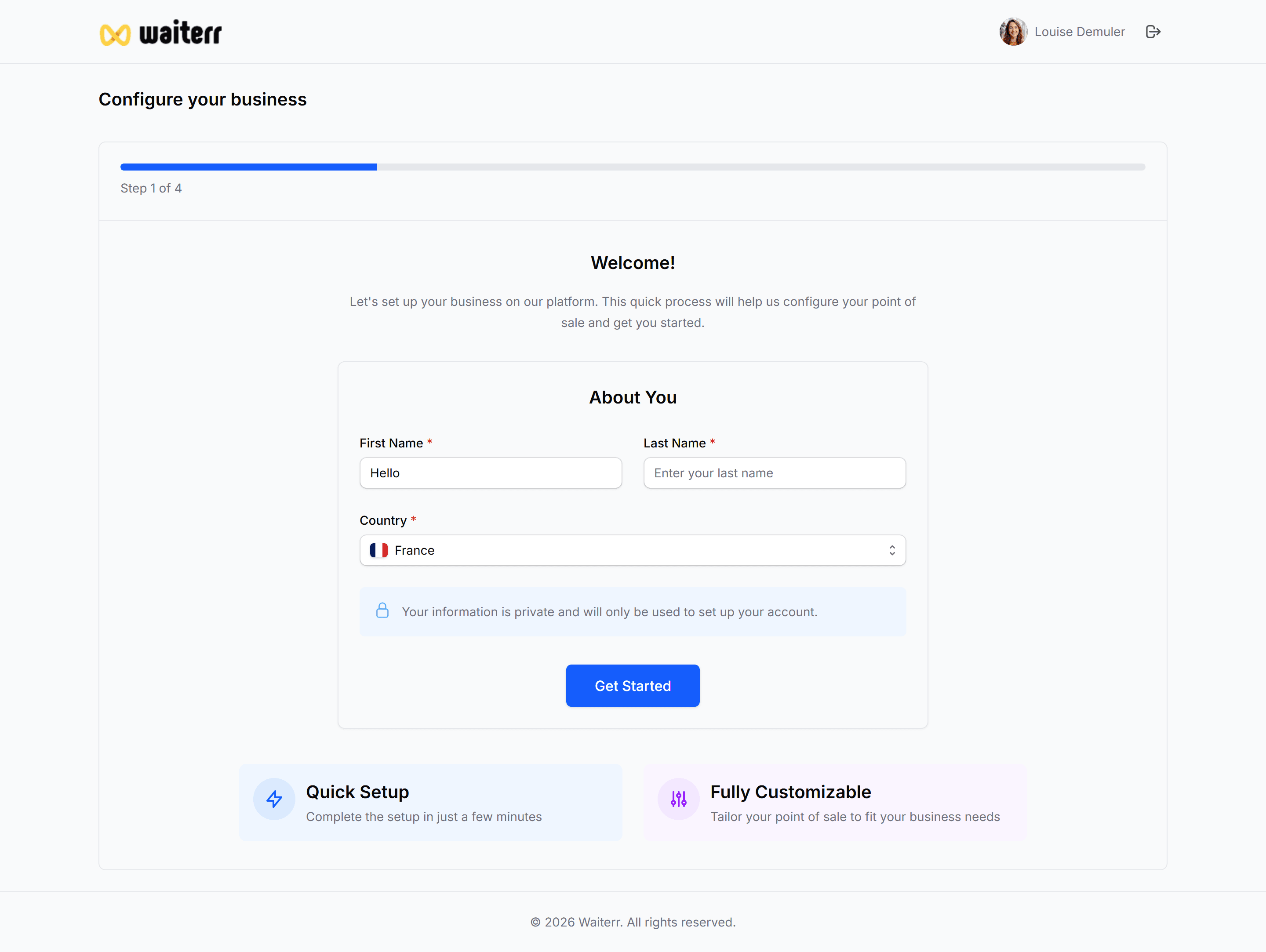
Step 1 — Personal information
You will be asked to confirm:
- First name
- Last name
- Country
These values help pre-fill defaults for your establishment.
Step 2 — Establishment essentials
You enter the basic but required details:
- Establishment name
- Address
- City
- Postal code
- Country
- Phone number
As soon as you start typing the name, a Google Places search triggers:
- Automatic address suggestion
- Autofill of city, postal code, phone
- Detection of website and social links (if available)
Learn more →
General Information
Step 3 — Automatic enrichment (AI + Web scraping)
If your establishment has a published Google profile or website, Waiterr will automatically fetch:
- Logo
- Cover photo
- Gallery images
- Categories
- Cuisine types
- Opening hours
- Social media links
- Website
- Auto-generated description
All elements remain fully editable.
Step 4 — Optional settings
You can configure:
- Categories (up to 3)
- Cuisine types
- Opening hours
- Social links
- Options (takeaway, delivery)
This step can be skipped and completed later.
Learn more →
Categories & Cuisine Types
Opening Hours
Step 5 — Summary
Before creating your establishment, you see a full recap of all detected + entered data.
If everything is correct:
👉 Click Create Establishment
You will be redirected to your Dashboard.
Learn more →
Dashboard Overview