Dashboard Overview
The Dashboard is the central hub of your establishment.
From here, you can monitor performance, review key indicators, manage services, and access quick actions.
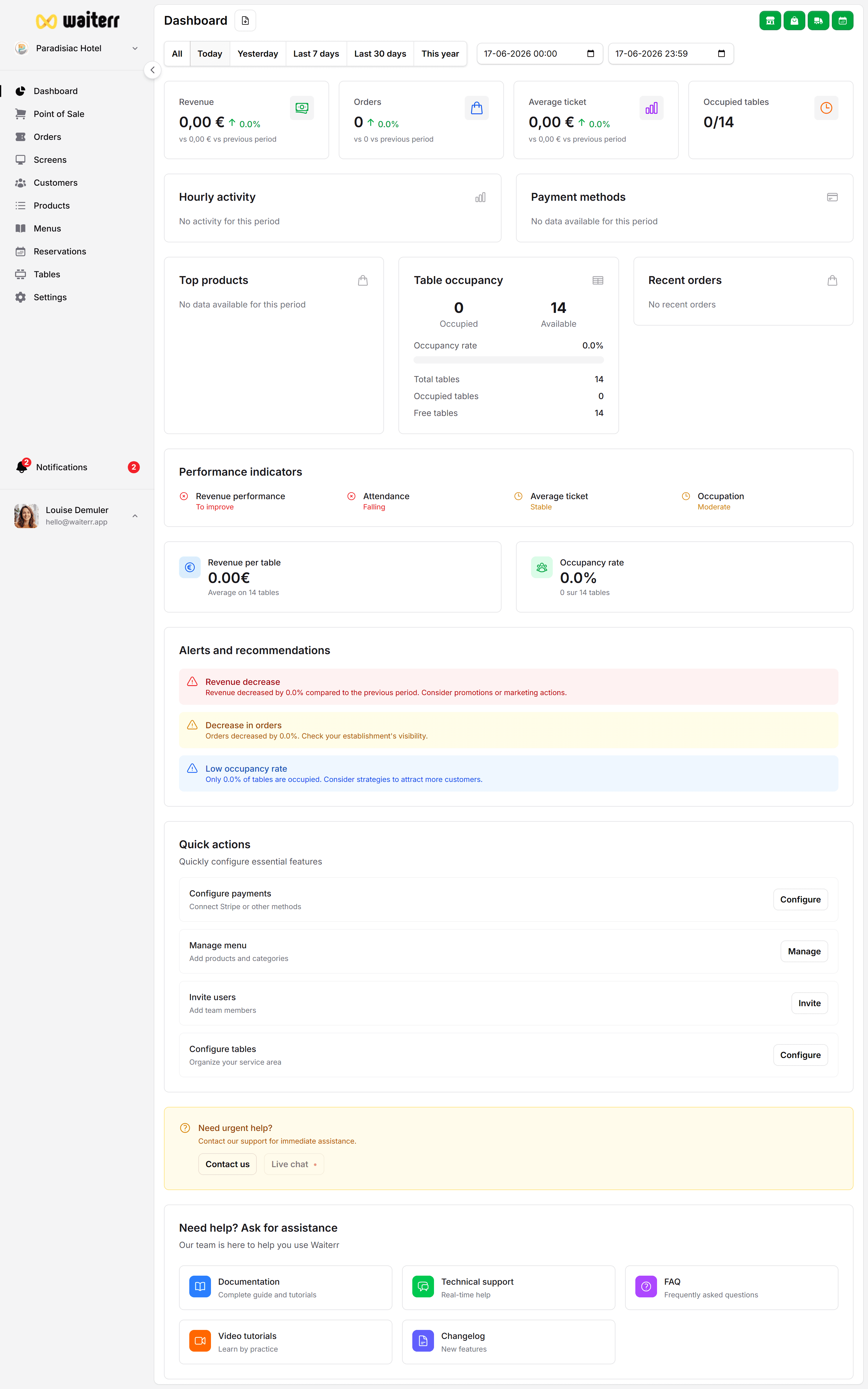
What You Will Find on the Dashboard
The Dashboard contains:
- Flexible date filters to analyze specific periods
- KPIs (Revenue, number of orders, average ticket…)
- Service toggles (dine-in, takeaway, QR orders, delivery, reservations)
- Charts and analytics
- Recent orders and activity
- Performance indicators
- Quick shortcuts to essential configuration pages
Each part of the dashboard is explained in detail in the pages of this module.
Why the Dashboard Matters
The Dashboard is your control center. It lets you:
- Understand business activity at a glance
- See which services are active
- Track your busiest hours
- Monitor product performance
- Identify top-selling items
- Detect operational issues
- React quickly to changes in service demand
Whether you’re a bar, restaurant, food truck or event organizer, this page is your daily companion.
What to read next
👉 Filters & Date Ranges
👉 KPIs Explained
👉 Service Toggles
👉 Charts & Insights
Last updated on